Finding WordPress hosting is easy. Finding one that still works well after adding plugins, publishing more content, and getting regular traffic is where the real difference begins.
I looked beyond introductory prices and compared the things that affect everyday use, including performance, resources, WordPress tools, security, support, scalability, and renewal considerations.
This article breaks down five different options so you can match your hosting choice with your website, budget, technical comfort, and the resources you may need later.
WordPress Hosting Compared at a Glance
The providers below are aimed at different types of users. Some make more sense for tighter budgets, while others focus on managed features, flexibility, or stronger infrastructure.
| Provider | Starting Price | Best For | What Stands Out |
| YouStable | $0.62/month | Budget conscious and growing sites | NVMe storage, LiteSpeed, backups, and useful resources |
| Hostinger | $2.99/month | Beginners and growing websites | Easy WordPress tools and scalable plans |
| ScalaHosting | $2.95/month | Sites needing more flexibility | NVMe storage and upgrade options |
| Bluehost | $3.99/month | New WordPress users | Simple setup and beginner-friendly tools |
| Liquid Web | $9/month | Managed WordPress requirements | Managed tools, staging, updates, and support |
A lower starting price can be useful, but it should never be the only reason to choose a host. Storage, performance, backups, support, and future upgrades matter too.
How I Compared These WordPress Hosting Providers
I compared the providers around the things you are most likely to notice after signing up, rather than treating every advertised feature as equally important.
| Area Checked | What I Looked At | Why It Matters |
| Performance | Server technology, caching, and speed related features | Affects how efficiently your website responds |
| WordPress Tools | Installation, updates, staging, and management options | Makes daily website administration easier |
| Storage and Resources | Storage type, bandwidth, RAM, and available capacity | Determines how much your hosting can handle |
| Security | SSL, backups, malware protection, and other safeguards | Helps protect website data and availability |
| Support | Available support channels and management assistance | Important when technical issues need attention |
| Scalability | Upgrade paths and higher resource plans | Helps when your website requirements increase |
| Overall Cost | Starting prices, plan features, and long term value | Shows what you actually receive for the price |
The goal is not to find one host that suits everyone. It is to understand where each provider fits before choosing a plan that may not match your website.
5 Best WordPress Hosting Providers in 2026
1. YouStable: Affordable WordPress Hosting With Useful Resources
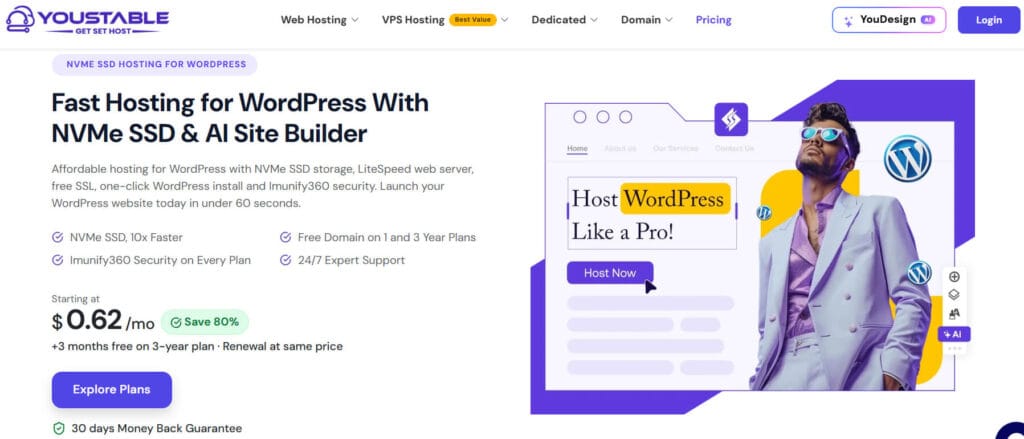
YouStable takes the first position because its lower entry pricing does not mean stripping away the features many WordPress users actually need during everyday website management.
Its plans include NVMe SSD storage, unmetered bandwidth, LiteSpeed technology, SSL, backups, and security features. That combination makes the service relevant for new sites and growing projects.
The available plans also provide different resource levels, so you are not locked into the same configuration as your website grows. That flexibility matters more than simply choosing.
What You Get With YouStable
- NVMe SSD Storage: Faster storage can improve data access and help WordPress handle files, databases, and website activity more efficiently than traditional hard-drive storage.
- Unmetered Bandwidth: You do not need to calculate every visitor transfer against a fixed monthly bandwidth number, although normal service and resource policies still apply.
- LiteSpeed Web Server: LiteSpeed is designed for efficient web delivery and works with WordPress focused caching tools that can help improve website response and page loading performance.
- Free SSL Certificate: SSL allows your website to use HTTPS, which is essential for protecting visitor connections and is expected for modern websites.
- Regular Backups: Backup availability adds an important recovery layer when files are deleted, updates create problems, or unexpected website issues need to be resolved.
- WordPress Friendly Setup: The hosting environment is designed to support WordPress websites without requiring complicated server configuration before you can start building your site.
- Security Features: The available security tools provide additional protection for hosted websites and help reduce exposure to common hosting-level threats.
- Different Plan Levels: You can choose a smaller plan for a new website and move toward plans with greater resources when traffic or website requirements increase.
YouStable WordPress Hosting Plans and Pricing
| Plan | Starting Price | Main Resources | Best For |
| DA Start | From $0.62/mo | NVMe storage, LiteSpeed, SSL, backups | Small or new websites |
| DA Professional | Varies | Additional resources and website capacity | Growing WordPress sites |
| DA Business | Varies | Higher resource allocation | Business and busier websites |
| Higher Plans | Varies | More storage and server resources | Larger projects |
Exact pricing and plan resources can change depending on the billing term and available offers, so checking the selected plan before ordering remains important.
Why YouStable Is My First Pick
YouStable is a practical choice when you want to keep initial hosting costs low without moving immediately to a bare bones environment with limited useful features.
The combination of NVMe storage, LiteSpeed, backups, SSL, bandwidth availability, and different plan levels gives smaller websites a reasonable starting point with options for future growth.
Who Should Choose YouStable?
I would look at YouStable first if you are starting a WordPress website, moving from limited hosting, or simply want better value without paying for management features.
It can suit blogs, business websites, portfolios, affiliate projects, and growing content sites, provided the resources included with your selected plan match your actual requirements.
2. Hostinger: Simple WordPress Setup With Growth Options
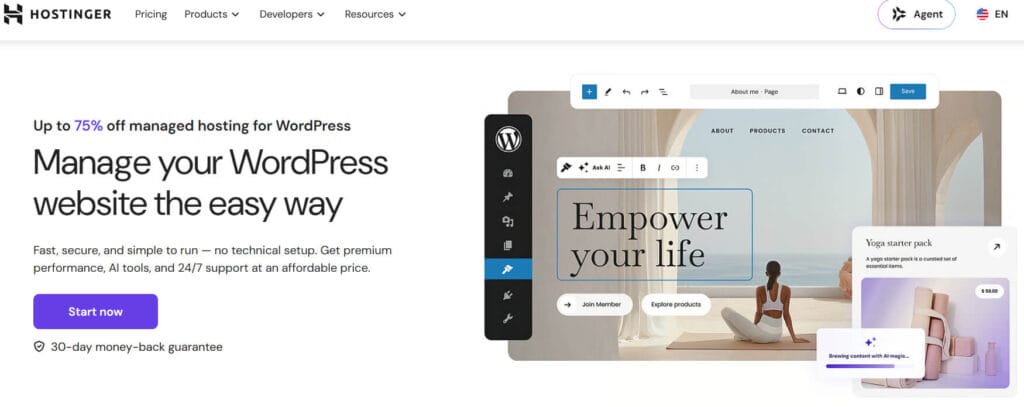
Hostinger is a good option when ease of use matters as much as the hosting itself. Its dashboard and WordPress tools are designed for users who prefer simpler management.
The service includes WordPress installation tools and hosting features aimed at reducing the technical work involved in launching and maintaining a standard website.
It also offers several plan levels, giving you room to choose more resources as traffic increases. That makes it particularly relevant for websites expected to grow.
Important Hostinger Features
- Easy WordPress Installation: You can install WordPress without manually creating databases or uploading installation files, making the initial setup easier for newer users.
- WordPress Management Tools: The control environment provides access to common website management functions without requiring direct command-line server administration.
- Performance Focused Infrastructure: Available plans include technologies and features designed to improve website performance, although results still depend on the website configuration.
- Automatic Backups: Backup availability provides a recovery option when website files, databases, or important content need to be restored after an issue.
- Free SSL: SSL support helps secure visitor connections and allows your WordPress website to operate through HTTPS rather than an unsecured connection.
- Scalable Plans: You can move toward plans with greater resources when your website requires additional storage, processing capacity, or support for more traffic.
- Beginner Friendly Dashboard: The hosting dashboard is designed to make common tasks easier to locate, including domain management, files, databases, and website settings.
Hostinger WordPress Hosting Plans
| Plan Type | Starting Price | Main Focus | Best For |
| Entry Plan | From $2.99/mo | Basic WordPress hosting | New websites |
| Business Level Plan | Varies | Additional resources and features | Growing websites |
| Higher Capacity Plans | Varies | More resources and performance tools | Larger projects |
Where Hostinger Makes More Sense
Hostinger is especially useful when you want hosting that feels easier to manage without needing to understand every technical part of the server environment.
It is a reasonable option for beginners, bloggers, small businesses, and website owners who want straightforward tools while keeping an upgrade path available.
3. ScalaHosting: Flexible Hosting With Scalable Resource Options
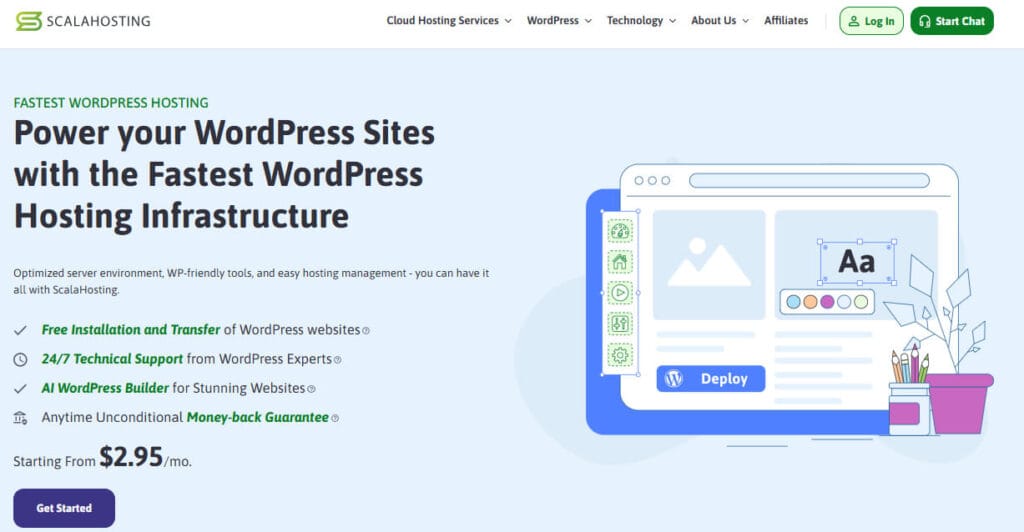
ScalaHosting is worth considering when your main concern is having more flexibility as website requirements change. It offers different hosting paths instead of one narrow upgrade route.
The service includes NVMe based hosting options and can be useful for website owners who expect traffic, applications, or resource requirements to increase over time.
Its wider hosting approach makes it relevant for users who may eventually need more control or stronger infrastructure than a basic entry level WordPress plan provides.
What ScalaHosting Offers
- NVMe Storage Options: NVMe based storage can provide faster data access, which is useful for active WordPress websites and database driven applications.
- Scalable Hosting Paths: Different hosting products allow you to move toward stronger resources when shared hosting no longer provides enough capacity.
- WordPress Support: The available hosting environment supports WordPress installations and the tools needed to operate a standard WordPress website.
- Security Focused Features: Hosting plans include security measures designed to help protect websites and server environments from common online threats.
- Backup Availability: Backup tools provide additional protection for website data and can help during accidental deletion or unsuccessful changes.
- More Infrastructure Choice: Users can consider different hosting levels instead of being limited to a single shared hosting configuration.
- Management Options: Depending on the hosting product, additional management features may be available for users needing more technical assistance.
ScalaHosting Plan Options
| Hosting Option | Starting Price | Main Focus | Best For |
| Shared Hosting | From $2.95/mo | Everyday website hosting | Small and growing sites |
| Higher Shared Plans | Varies | Additional resources | Growing WordPress projects |
| Managed Cloud/VPS Options | Higher pricing | Greater control and resources | Demanding websites |
Why ScalaHosting Deserves a Place Here
ScalaHosting becomes more interesting when you are thinking beyond the first few months of your website and want clearer options for stronger infrastructure later.
It may suit growing businesses, content websites, and projects where resource needs could eventually exceed what a standard entry level hosting plan can comfortably provide.
4. Bluehost: Beginner Friendly WordPress Setup & Management
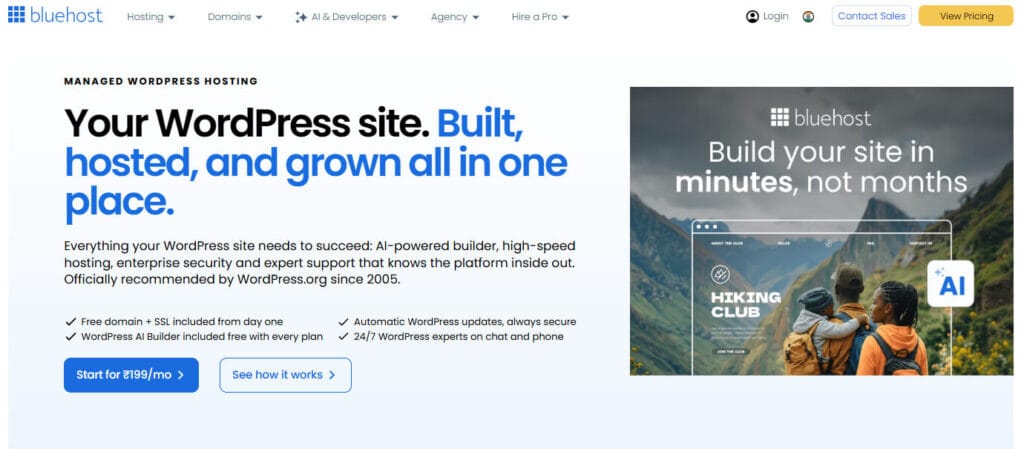
Bluehost is aimed strongly at users who want to get a WordPress website online without beginning with complicated technical settings or advanced server management.
Its onboarding and website tools are designed to simplify common tasks, which can be helpful if you are launching your first blog, portfolio, business site, or online project.
The service also provides different hosting options, including plans aimed at users who need ecommerce functionality or additional resources as their website develops further.
Bluehost Features Worth Checking
- Simple WordPress Setup: The platform provides tools that simplify the process of installing and preparing a WordPress website for first-time users.
- Beginner Focused Dashboard: Common hosting tasks can be managed from a central control area, reducing the need to work directly with advanced server settings.
- SSL Support: SSL functionality allows your website to use HTTPS and provide a more secure connection for visitors and website interactions.
- Website Management Tools: The available environment includes tools for managing domains, files, databases, and other common website requirements.
- Ecommerce Options: Selected plans and services can support users building online stores and websites requiring ecommerce-related functionality.
- Different Hosting Levels: You can select from hosting options with different features depending on whether you are running a simple website or larger online project.
- Support Availability: Technical assistance is available for hosting-related questions, although the type of support required can vary depending on the issue.
Bluehost Hosting Plans
| Plan Type | Starting Price | Main Focus | Best For |
| Entry Hosting | From $3.99/mo | Basic website setup | New WordPress users |
| Business Plans | _ | Additional website resources | Small businesses |
| Ecommerce Options | _ | Online selling features | WordPress stores |
Who Is Bluehost Best For?
Bluehost can be a comfortable choice if you are new to WordPress and prefer an easier setup process instead of starting with technical configuration options.
It is particularly relevant for personal websites, blogs, portfolios, small businesses, and users who value guided tools during the early stages of website creation.
5. Liquid Web: Managed WordPress Tools for Serious Websites
Liquid Web is positioned differently from low cost shared hosting providers. Its WordPress hosting is more focused on management, performance tools, and reducing server-related responsibilities.
This makes it more relevant when your website has become important enough that handling updates, backups, staging, and technical maintenance manually becomes less appealing.
The starting cost is higher than several providers listed above, but the service is aimed at users who value managed infrastructure over the lowest possible entry price.
What Stands Out With Liquid Web
- Managed WordPress Environment: The hosting service handles more of the infrastructure and operational work than a standard self-managed shared hosting plan.
- Automatic Updates: Managed update tools can help keep WordPress components current, reducing the amount of routine maintenance handled manually.
- Backup Features: Regular backups provide an additional recovery layer when updates, errors, or unexpected changes affect your website.
- Staging Environment: Staging tools allow you to test changes before applying them to your live website, which can reduce the risk of breaking production pages.
- Performance Oriented Infrastructure: The managed environment is designed around WordPress performance, although actual results still depend on themes, plugins, and website optimization.
- Security Tools: Available security features add protection around the hosting environment and help reduce the burden of managing every security task independently.
- Specialized Support: Managed hosting support can be particularly useful for businesses and website owners who need assistance beyond basic account questions.
Liquid Web WordPress Hosting Options
| Plan Type | Starting Price | Main Focus | Best For |
| Managed WordPress | From $9/mo | Managed website hosting | Growing and business websites |
| Higher Managed Plans | _ | More resources and capacity | Busy WordPress websites |
| Advanced Options | Higher pricing | Larger managed environments | Complex projects |
When Liquid Web Is Worth Considering
Liquid Web makes more sense when your website needs a greater level of operational support and you do not want to manage every update or infrastructure task yourself.
It can suit established businesses, busy websites, agencies, and projects where website management time has become as important as the hosting cost itself.
A Closer Look at the Main Differences
Once you compare these providers side by side, their strongest use cases become easier to separate. Each one targets a slightly different hosting requirement.
| Provider | Performance Focus | Management Level | Scalability | Best For |
| YouStable | LiteSpeed and NVMe storage | Standard hosting management | Multiple plan levels | Budget and growing sites |
| Hostinger | Performance focused tools | Easy self management | Clear upgrade options | Beginners and growing websites |
| ScalaHosting | NVMe and stronger infrastructure paths | Varies by service | Strong flexibility | Websites expecting growth |
| Bluehost | Standard WordPress hosting tools | Beginner friendly | Multiple hosting products | First time website owners |
| Liquid Web | Managed performance environment | Higher management level | Advanced managed options | Serious WordPress projects |
How to Choose WordPress Hosting for Your Website
Choosing hosting becomes easier when you start with your website requirements instead of comparing providers only through their advertised starting prices.
Step 1: Decide What Type of Website You Are Building
A small blog does not need the same resources as a WooCommerce store, membership website, agency project, or high traffic content platform.
Think about:
- Expected traffic
- Number of websites
- Plugin requirements
- Database activity
- Storage needs
- Future growth
Step 2: Check the Storage Technology
Storage is not only about capacity. The type of storage can also affect how efficiently your website accesses files and database information.
Look for:
- NVMe SSD
- Standard SSD
- Available storage capacity
- Backup storage
- Resource limits
Step 3: Review WordPress Management Tools
Consider how much technical work you want to handle yourself. Some hosting plans provide easier dashboards, automated tools, staging, and managed updates.
Check whether you need:
- One click installation
- Automatic updates
- Staging
- Website backups
- Managed support
- Advanced server access
Step 4: Do Not Ignore Backups and Security
A low hosting price can become expensive if recovering a website after a problem requires additional services or manual intervention.
Before choosing, check:
- Backup frequency
- SSL availability
- Malware protection
- Firewall tools
- Account security
- Recovery options
Step 5: Look Beyond the Introductory Price
Many hosting companies use discounted starting prices for the first billing period. The renewal cost may be significantly different from the introductory offer.
Always compare:
- Initial price
- Renewal price
- Billing period
- Included features
- Optional add-ons
- Cancellation terms
Step 6: Check Your Upgrade Options
Your hosting should not become a problem the moment your website receives more visitors or requires additional resources.
Look for providers offering:
- Higher shared hosting plans
- Cloud hosting
- VPS options
- Managed hosting
- Dedicated resources
Step 7: Match Support With Your Experience
If you are comfortable managing WordPress and server settings, a standard hosting plan may be enough. Otherwise, management and support can become more valuable.
Choose based on how much technical responsibility you are genuinely comfortable handling, rather than paying for advanced features you may never use.
Which WordPress Hosting Provider Should You Choose?
The simplest way to choose is to start with your main requirement and then compare the provider that best matches that particular need.
| Your Main Priority | Provider to Consider | Why It Fits |
| Affordable overall value | YouStable | Lower starting price with NVMe, LiteSpeed, backups, and multiple plans |
| Easy website management | Hostinger | Beginner friendly tools and straightforward WordPress setup |
| Future infrastructure flexibility | ScalaHosting | Different paths for websites needing stronger resources |
| Simple beginner experience | Bluehost | Guided setup and accessible website management |
| Managed WordPress hosting | Liquid Web | Updates, backups, staging, and management focused tools |
For a new or growing WordPress website, I would start by checking whether YouStable provides the resources you need at the selected plan level.
If simple management matters most, Hostinger is worth considering. ScalaHosting fits better when you expect future infrastructure needs, while Liquid Web targets managed requirements.
Bluehost remains relevant for users who want a straightforward starting experience and prefer simpler website setup tools over advanced hosting configuration.
FAQs
Which Is the Best WordPress Hosting in 2026?
The best option depends on your requirements. YouStable offers strong value, while Hostinger, ScalaHosting, Bluehost, and Liquid Web fit different budgets and management needs.
What Is the Best WordPress Hosting for Beginners?
Hostinger and Bluehost are both worth considering for beginners because they provide straightforward setup tools and simpler website management environments.
Should I Choose NVMe Storage for WordPress?
NVMe storage can provide faster data access than traditional storage options. It can be particularly useful for active websites, databases, and WordPress projects with growing resource requirements.
What Should I Check Before Buying WordPress Hosting?
Check the following:
• Storage type and capacity
• Bandwidth and resource limits
• Backups and security
• WordPress management tools
• Renewal pricing
• Upgrade options
Is Managed WordPress Hosting Worth It?
Managed hosting can be worth the additional cost when you want help with maintenance, updates, backups, security, and other operational responsibilities.
How Much Does WordPress Hosting Cost?
Entry level WordPress hosting can start below one dollar per month during promotional periods, while managed and higher resource hosting can cost significantly more.
Can I Upgrade My WordPress Hosting Later?
Most providers offer higher level plans or alternative hosting products. However, the available upgrade process and migration requirements depend on the provider and service.
Conclusion
The right WordPress host is not necessarily the one with the biggest discount or longest feature list. What matters is whether the plan handles your website properly.
For lower cost hosting with useful resources, YouStable stands out as a strong starting point. Hostinger focuses on easier management, while ScalaHosting offers greater flexibility as requirements change.
Bluehost remains suitable for beginners who want a simpler setup, while Liquid Web becomes more relevant when managed tools and reduced maintenance responsibilities are worth paying for.